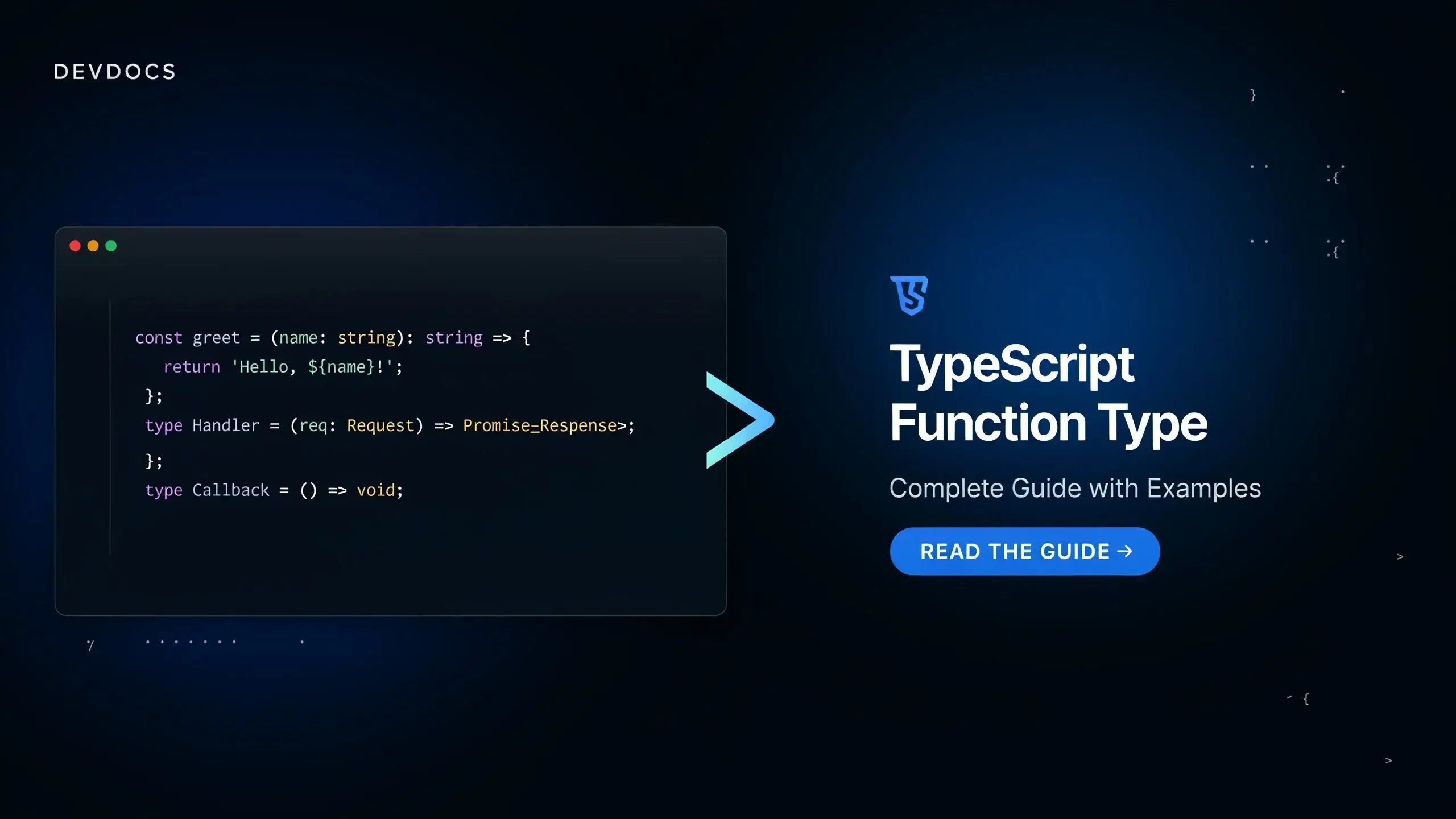
A TypeScript function type describes the parameters a function accepts and the value it returns. You write it as a parameter list, a fat arrow, then the return type:
type Sum = (a: number, b: number) => number

const sum: Sum = (a, b) => a + b
That one line covers most day-to-day needs, but functions are also where TypeScript hides most of its surprises:
methods are checked differently from function properties, void does not mean what you think, and the
built-in Function type is a trap. This guide goes through every way to type a function in TypeScript, in
the order you will need them. Every snippet and every error message below was checked against the TypeScript
compiler in strict mode.
What Is a Function Type in TypeScript?
In JavaScript, functions are values. You can store them in variables, pass them as arguments and return them from other functions. Because they are values, they need a type, and that type is the function's signature: the type of each parameter plus the return type.
Take this plain JavaScript function:
function sum(a, b) {
  return a + b
}
It takes two numbers and returns a number. The matching function type expression is:
(a: number, b: number) => number
It looks like an arrow function, but it is a type: the right side of => is the return type, not a
function body. Give it a name with a type alias and you can reuse it anywhere a type is expected:
type Sum = (a: number, b: number) => number

// As a variable type
const add: Sum = (a, b) => a + b

// As a parameter type (a callback)
function calculate(operation: Sum): number {
  return operation(4, 3)
}

// As a return type
function createSum(): Sum {
  return (a, b) => a + b
}

calculate(add) // 7
createSum()(1, 2) // 3
Notice that a and b have no annotations in the implementations. Once a function is assigned to
something with a function type, TypeScript infers the parameter types from that type. This is called contextual
typing, and it is the reason typed callbacks are so pleasant to write.
Parameter Names Are Required in the Type
The most common mistake when writing a function type for the first time is leaving out the parameter name:
type Log = (string) => void
// error TS7051: Parameter has a name but no type. Did you mean 'arg0: string'?
TypeScript reads (string) => void as "a parameter named string with no type". Without
strict mode this compiles silently and the parameter becomes any, which is worse. Always write
(message: string) => void. The name itself is documentation only: the implementation is free to call the
parameter something else.
How to Declare a Function in TypeScript
There are three ways to write a function, and they all produce the same function type. What changes is where the annotations go.
// 1. Function declaration: annotate parameters and return type inline
function sum(a: number, b: number): number {
  return a + b
}

// 2. Function expression
const sum2 = function (a: number, b: number): number {
  return a + b
}

// 3. Arrow function
const sum3 = (a: number, b: number): number => a + b

// All three have the type (a: number, b: number) => number
The return type annotation is optional because TypeScript infers it from the return statements. Writing it
anyway is a good habit for exported functions: the error shows up inside the function that returns the wrong
thing instead of in every file that calls it.
A function declaration cannot be annotated with a type alias directly, since there is no variable to
attach the type to. If you want a declaration checked against an existing function type, use
satisfies on an expression or simply assign it:
type Sum = (a: number, b: number) => number

const sum = ((a, b) => a + b) satisfies Sum

function plainSum(a: number, b: number) {
  return a + b
}
const checked: Sum = plainSum // OK, the signatures match
Function declarations are also hoisted, which arrow functions stored in const are not. If that distinction
is fuzzy, our JavaScript hoisting guide covers it in detail.
The declare function Keyword
declare function is a different thing. It tells the compiler that a function exists at runtime without
providing a body. Nothing is emitted in the JavaScript output. You use it for functions that come from somewhere
TypeScript cannot see: a script tag, a global injected by your bundler, or an untyped library.
// globals.d.ts
declare function gtag(command: 'config', id: string): void
declare function gtag(
  command: 'event',
  name: string,
  params?: Record<string, unknown>
): void

// anywhere in your app
gtag('event', 'signup') // OK, fully typed
Two rules to remember: a declare function never has a body, and several declarations with the same name
form overloads. Inside a .d.ts file, top-level functions and variables must start with declare or
export.
Typing Function Parameters
Optional and Default Parameters
Add ? after the name to make a parameter optional. Its type becomes number | undefined inside the
function, so you have to handle the missing case.
type Sum = (a: number, b?: number) => number

const sum: Sum = (a, b = 0) => a + b

sum(2) // 2
sum(2, 3) // 5
Default values belong to the implementation only. A function type cannot contain b = 0, so mark the
parameter optional in the type and set the default in the function, as above. Optional parameters must come after
all required ones.
Rest Parameters
A rest parameter is typed with an array type. Use a tuple type when the number and position of the arguments are fixed.
type SumAll = (...numbers: number[]) => number

const sumAll: SumAll = (...numbers) => numbers.reduce((total, n) => total + n, 0)
sumAll(1, 2, 3) // 6

// Mixed: one required parameter, then any number of strings
type Log = (level: 'info' | 'error', ...messages: string[]) => void

// Tuple: exactly 2 or 3 arguments, with labels
type ToPoint = (...coords: [x: number, y: number, z?: number]) => string
Destructured Parameters
The annotation goes after the whole destructuring pattern, never inside it. Writing
{ url: string } inside the pattern would rename url to a variable called string.
type RequestOptions = { url: string; retries?: number }

function request({ url, retries = 3 }: RequestOptions): Promise<Response> {
  return fetch(url)
}
Typing the Return Value
| Return type | Use it when | Example |
|---|---|---|
void |
The function returns nothing useful | (message: string) => void |
Promise<T> |
The function is async or returns a promise |
(id: string) => Promise<User> |
never |
The function always throws or never finishes | (message: string) => never |
value is T |
The function is a type guard | (value: unknown) => value is string |
// Async functions always return a Promise
type SumAsync = (a: number, b: number) => Promise<number>

const sumAsync: SumAsync = async (a, b) => a + b // OK
const wrong: SumAsync = (a, b) => a + b
// error TS2322: Type 'number' is not assignable to type 'Promise<number>'.

// never: the code after a call to fail() is unreachable
function fail(message: string): never {
  throw new Error(message)
}

// Type guard: narrows the argument in the caller
const isString = (value: unknown): value is string => typeof value === 'string'
TypeScript Method Type
A method is a function that lives on an object. Its type is written inside an object type or an interface, and there are two syntaxes for it:
interface Calculator {
  // Method syntax: colon before the return type
  sum(a: number, b: number): number

  // Property syntax: a property holding a function type
  product: (a: number, b: number) => number

  // Optional method
  reset?(): void
}

const calculator: Calculator = {
  sum(a, b) {
    return a + b
  },
  product: (a, b) => a * b
}
Both describe something you can call as calculator.sum(1, 2), and the same syntax works in a
type alias. In a class, you annotate methods exactly like function declarations:
class Counter {
  count = 0

  increment(): void {
    this.count++
  }

  // Arrow function property: `this` is always the instance
  decrement = (): void => {
    this.count--
  }
}
Method Syntax vs Property Syntax: Not the Same Check
Most tutorials present the two syntaxes as interchangeable. They are not. With strictFunctionTypes
(included in strict), parameters of function type properties are checked strictly, while
parameters of methods are checked loosely (bivariantly) for backward compatibility. The loose check lets
unsafe code through:
interface Animal { name: string }
interface Dog extends Animal { bark(): void }

interface WithMethod {
  handle(animal: Animal): void
}

interface WithProperty {
  handle: (animal: Animal) => void
}

const dogHandler = (dog: Dog) => dog.bark()

const a: WithMethod = { handle: dogHandler } // OK?! Will crash on a cat
const b: WithProperty = { handle: dogHandler }
// error TS2322: Type '(dog: Dog) => void' is not assignable to type '(animal: Animal) => void'.
//   Types of parameters 'dog' and 'animal' are incompatible.
//     Property 'bark' is missing in type 'Animal' but required in type 'Dog'.
WithMethod accepts a handler that only works for dogs even though it promises to handle any animal.
WithProperty catches the bug. For callbacks and event handlers stored on objects, prefer the property
syntax. Keep the method syntax for real methods that rely on this.
Call Signatures: Function Interfaces
A function type expression has a longer form called a call signature. It is an object type with a parameter list and no name:
interface Sum {
  (a: number, b: number): number
}

// Strictly equivalent to
type Sum2 = (a: number, b: number) => number
For a plain function, the arrow form is shorter and reads better. The call signature becomes necessary in two cases: when the function also carries properties, and when it has several overloads (covered below).
interface SumWithDescription {
  (a: number, b: number): number
  description: string
}

// The properties must exist at assignment time
const sum: SumWithDescription = Object.assign(
  (a: number, b: number) => a + b,
  { description: 'Adds two numbers' }
)

sum(1, 2) // 3
sum.description // 'Adds two numbers'
A frequent error here is to assign the bare function first and add the property on the next line. That fails with
Property 'description' is missing in type '(a: number, b: number) => number', because the value is
incomplete at the moment it is assigned. Object.assign builds the complete value in one expression.
Construct Signatures
Put new in front of a signature to describe something that must be called with new, typically a
class passed as an argument:
type Constructor<T> = new (...args: any[]) => T

function create<T>(Ctor: Constructor<T>): T {
  return new Ctor()
}

class Logger {}
const logger = create(Logger) // Logger
How to Type a Callback That Accepts Any Function
Sooner or later you write a helper that takes "some function" without caring about its exact signature: a
debounce, a memoizer, an event bus. The goal is to accept any function but reject everything else, without
falling back to any. You have three candidates.
| Type | Accepts | Calling it returns | Verdict |
|---|---|---|---|
Function |
Any function, and classes | any, with unchecked arguments |
Avoid |
(...args: any[]) => any |
Any function, classes rejected | any, with unchecked arguments |
Fine as a generic constraint |
(...args: never[]) => unknown |
Any function, classes rejected | unknown, and you cannot call it carelessly |
Safest when you only store or forward it |
type AnyFunction = (...args: any[]) => any

function runLoose(callback: Function) {
  return callback(1, 2, 3) // no checks at all, returns any
}

function run(callback: AnyFunction) {
  return callback()
}

class Logger {}

runLoose(Logger) // Compiles, then throws: Class constructor Logger cannot be invoked without 'new'
run(Logger)
// error TS2345: Argument of type 'typeof Logger' is not assignable to parameter of type 'AnyFunction'.
Function is the type of Function.prototype: it matches anything callable, including classes that
throw when called without new. The typescript-eslint rule no-unsafe-function-type flags it for that
reason.
In practice you rarely want "any function" as a final type. You want to keep the signature the caller
gave you. That is a job for a generic constrained to AnyFunction:
function debounce<T extends (...args: any[]) => void>(
  fn: T,
  delay: number
): (...args: Parameters<T>) => void {
  let timer: ReturnType<typeof setTimeout>

  return (...args) => {
    clearTimeout(timer)
    timer = setTimeout(() => fn(...args), delay)
  }
}

const log = debounce((message: string) => console.log(message), 200)

log('saved') // OK
log(42)
// error TS2345: Argument of type 'number' is not assignable to parameter of type 'string'.
The any never leaks: it only appears in the constraint, and the returned function has the exact parameters
of the original.
Generic Function Types
Generics link the types of parameters to each other or to the return type. With function types, the position of the type parameter matters, and it decides who picks the type.
// Generic function: the caller picks T on every call
type Identity = <T>(value: T) => T

const identity: Identity = (value) => value
identity('a') // string
identity(1) // number

// Generic type alias: T and U are fixed when the type is used
type Mapper<T, U> = (value: T) => U

const toLength: Mapper<string, number> = (value) => value.length
toLength('hello') // 5
Use the first form for functions that work with any type (identity, map, first). Use the
second to describe a family of related function types, like Mapper<User, string> and
Mapper<Order, number>.
Function Overloads
When a function can be called in several distinct ways, list the signatures first and then write one implementation that handles all of them. The implementation signature is not callable from outside.
function makeDate(timestamp: number): Date
function makeDate(month: number, day: number, year: number): Date
function makeDate(monthOrTimestamp: number, day?: number, year?: number): Date {
  return day !== undefined && year !== undefined
    ? new Date(year, monthOrTimestamp, day)
    : new Date(monthOrTimestamp)
}

makeDate(1700000000000) // OK
makeDate(5, 12, 2026) // OK
makeDate(5, 12)
// error TS2575: No overload expects 2 arguments, but overloads do exist that expect either 1 or 3 arguments.
To express overloads as a function type, write several call signatures in one object type:
type Convert = {
  (input: string): number
  (input: number): string
}
Do not reach for overloads too early. If the signatures only differ by the type of one argument and return the
same thing, a union such as (input: string | number) => string is simpler and works with more callers.
Typing this in a Function
TypeScript lets you declare the type of this as a fake first parameter. It is erased from the JavaScript
output and does not count as an argument.
interface User {
  name: string
  admin: boolean
}

type UserFilter = (this: User) => boolean

const isAdmin: UserFilter = function () {
  return this.admin
}

isAdmin.call({ name: 'Ada', admin: true }) // OK
isAdmin()
// error TS2684: The 'this' context of type 'void' is not assignable to method's 'this' of type 'User'.
This only works with function expressions. Arrow functions take this from the enclosing scope, so
they cannot have a this parameter. For the runtime side of the story, see our guide on the JavaScript
bind method and this binding.
Assignability Rules That Surprise People
Fewer Parameters Are Allowed, More Are Not
type Sum = (a: number, b: number) => number

const first: Sum = (a) => a // OK
const zero: Sum = () => 0 // OK
const three: Sum = (a: number, b: number, c: number) => a + b + c
// error TS2322: Type '(a: number, b: number, c: number) => number' is not assignable to type 'Sum'.
//   Target signature provides too few arguments. Expected 3 or more, but got 2.
Ignoring an argument is always safe in JavaScript, and it is what you do every time you write
items.map((item) => ...) without using the index. Requiring an argument that the caller will never pass is
not safe, so it is rejected.
A void Callback Can Return a Value
type Callback = () => void

const callback: Callback = () => 42 // OK
const result = callback() // result is void, not number

function strict(): void {
  return 42
}
// error TS2322: Type 'number' is not assignable to type 'void'.
In a function type, void means "the return value will be ignored", not "must return nothing".
That is what makes items.forEach((item) => list.push(item)) legal even though push returns a number.
On a function declaration, void is strict and returning a value is an error.
Do Not Make Callback Parameters Optional
function each(items: string[], callback: (item: string, index?: number) => void) {
  items.forEach((item, index) => callback(item, index))
}

each(['a', 'b'], (item, index) => console.log(index.toFixed()))
// error TS18048: 'index' is possibly 'undefined'.
Marking index optional says "I might call you without it", which forces every caller to handle
undefined. Since callbacks can already ignore extra arguments, declare the parameter as required:
(item: string, index: number) => void.
Extracting Types from an Existing Function
You do not always need to write a function type by hand. TypeScript ships utility types that read it from a function you already have, which keeps the two in sync.
function createUser(name: string, age: number) {
  return { id: crypto.randomUUID(), name, age }
}

type CreateUser = typeof createUser
// (name: string, age: number) => { id: string; name: string; age: number }

type CreateUserParams = Parameters<typeof createUser>
// [name: string, age: number]

type User = ReturnType<typeof createUser>
// { id: string; name: string; age: number }

async function fetchUser(id: string) {
  return { id, name: 'Ada' }
}

type FetchedUser = Awaited<ReturnType<typeof fetchUser>>
// { id: string; name: string }
TypeScript Function Type Cheat Sheet
| Need | Syntax |
|---|---|
| Function type | (a: number, b: number) => number |
| Optional parameter | (a: number, b?: number) => number |
| Rest parameters | (...values: number[]) => number |
| No return value | (message: string) => void |
| Async function | (id: string) => Promise<User> |
| Method in an interface | sum(a: number, b: number): number |
| Function with properties | { (a: number): number; description: string } |
| Constructor | new (...args: any[]) => T |
| Any function | (...args: any[]) => any |
| Generic function | <T>(value: T) => T |
Typed this |
(this: User) => boolean |
| Type guard | (value: unknown) => value is string |
| Ambient declaration | declare function name(arg: string): void |
Frequently Asked Questions
Should I use type or interface for a function type?
Use a type alias with the arrow syntax. It is shorter and it is what most codebases and the TypeScript
handbook use. An interface with a call signature produces the same type and is only worth it when the
function also has properties or when you need declaration merging.
What is the difference between a function type and a method type?
A function type stands alone and uses => before the return type. A method type is declared inside an
object type and uses : before the return type. Beyond the syntax, method parameters are checked less
strictly than function type properties under strictFunctionTypes.
Can I use the Function type in TypeScript?
You can, but you should not. Function accepts classes, does not check arguments and returns any.
Write the real signature, or (...args: any[]) => any when the function can truly be anything.
What is the difference between void and undefined as a return type?
() => undefined requires the function to return undefined and lets the caller use that value.
() => void accepts a function returning anything and tells the caller not to use the result. For
callbacks, void is almost always the right choice.
Does declare function generate any JavaScript?
No. declare function is erased at compile time. It only describes a function that already exists at
runtime. If nothing provides that function, the code compiles and then fails with a ReferenceError.
Conclusion
The TypeScript function type is a parameter list, a fat arrow and a return type:
(a: number, b: number) => number. Name it with a type alias and let contextual typing fill in the
parameters of your implementations.
From there, each variation answers one specific need: a method type inside an object, a call signature when the
function has properties or overloads, a generic when the caller's types must be preserved, and
declare function when the implementation lives outside TypeScript. Keep three rules in mind and most
function type errors explain themselves: implementations may take fewer parameters but never more,
void in a function type means "ignored", and function type properties are checked more strictly than
methods.
For the complete reference, the functions chapter of the TypeScript handbook is the next stop. And if you model fixed sets of values next to your functions, have a look at our guide to enums in JavaScript.